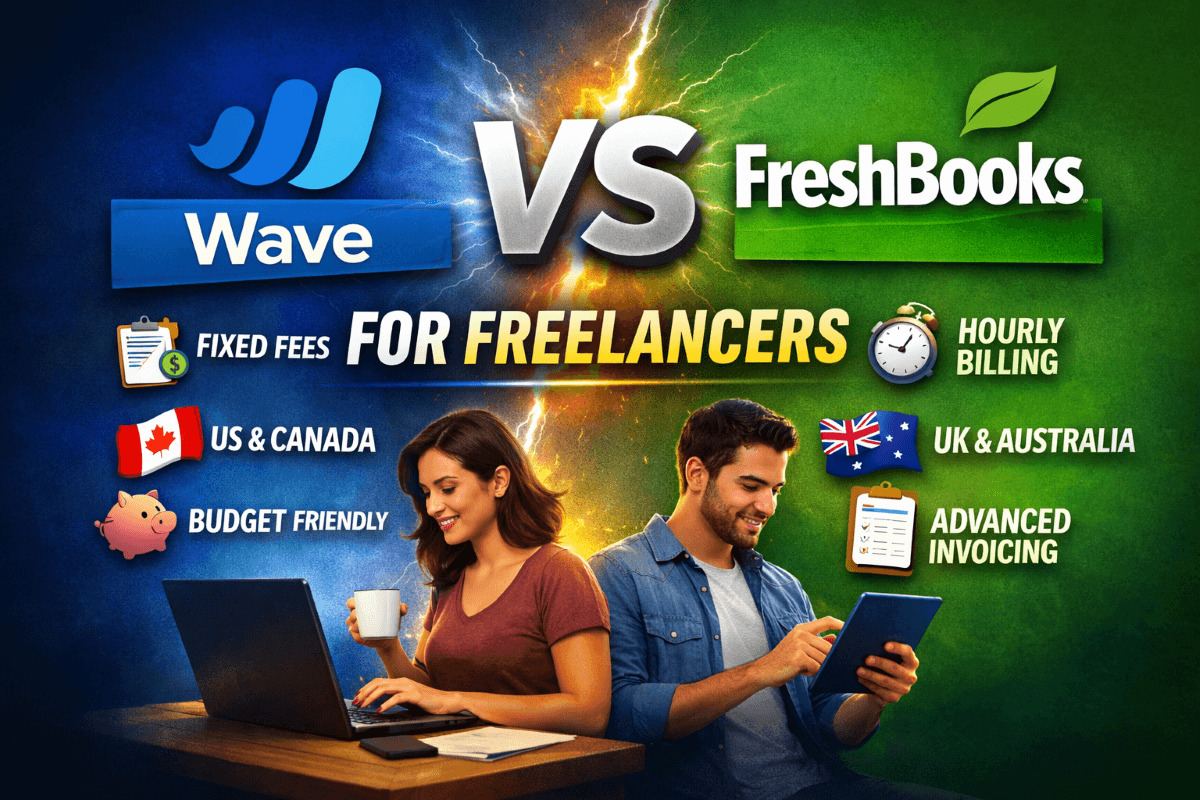
Wave is free. FreshBooks costs $19–$23 a month. That’s the surface-level answer most people get when they search this comparison — and it’s the least useful framing for actually making the decision.
The real question isn’t which tool costs less. It’s which tool fits how you work, how you bill, and where you’re likely to be in 12 months. Two freelancers earning the same income can have completely opposite needs based on one factor: whether they bill hourly or on fixed fees.
You’re a perfect Wave user if: you bill fixed fees, you’re based in the US or Canada, budget comes first, and you don’t need time tracking.
You’re a perfect FreshBooks user if: you bill hourly, you’re based in the UK or Australia, client professionalism matters, and invoicing is central to your workflow.
This guide breaks down the Wave vs FreshBooks for freelancers comparison — covering pricing, time tracking, tax compliance, and regional fit for US, UK, Canada, and Australia — with an honest verdict on which tool wins for which type of freelancer in 2026.
Disclosure: This article is not sponsored by Wave, FreshBooks, or any other software vendor. Recommendations are based on 2026 feature sets, verified pricing, and typical freelancer workflows.
Jump ahead: → See the full Wave vs FreshBooks comparison table
Quick Snapshot: Wave vs FreshBooks at a Glance
| Feature | Wave | FreshBooks | Winner |
|---|---|---|---|
| Starting Price | Free / $16/mo (Pro) | $19/mo (annual) / $23/mo (monthly) | 🏆 Wave |
| Free Plan | ✅ Yes — unlimited invoices | ❌ No free plan | 🏆 Wave |
| Time Tracking | ❌ Not included | ✅ Built-in, logs to invoices | 🏆 FreshBooks |
| Automatic Reminders | ✅ Pro plan only | ✅ All paid plans | 🏆 FreshBooks |
| Client Portal | ❌ No | ✅ Yes | 🏆 FreshBooks |
| Expense Tracking | ✅ Yes | ✅ Yes + receipt scanning | 🏆 FreshBooks |
| Double-Entry Accounting | ✅ Yes (free) | ✅ Plus plan and above | 🏆 Wave |
| Bank Reconciliation | ✅ Auto (Pro) / Manual (Starter) | ✅ Auto (all plans) | 🏆 FreshBooks |
| Project Profitability | ❌ No | ✅ Plus plan and above | 🏆 FreshBooks |
| Payment Processing Fee | 2.9% + $0.60/transaction | 2.9% + $0.30/transaction | 🏆 FreshBooks |
| UK MTD Compliance | ❌ Limited | ✅ Full MTD support | 🏆 FreshBooks |
| Mobile App Rating (G2) | ⭐ 4.4/5 | ⭐ 4.8/5 | 🏆 FreshBooks |
| Overall G2 Rating | ⭐ 4.4/5 | ⭐ 4.5/5 | 🏆 FreshBooks |
| Best Region | 🇺🇸 US / 🇨🇦 CA | 🇺🇸 US / 🇬🇧 UK / 🇨🇦 CA / 🇦🇺 AU | 🏆 FreshBooks |
Ratings sourced from G2.com and Capterra.com as of February 2026. Pricing reflects standard rates as of February 2026 — FreshBooks frequently offers up to 70% off for the first 4 months; check vendor sites for current promotional rates before purchasing.

What’s the Best Bookkeeping Software for Freelancers?
For most freelancers in the US and Canada starting out, the honest answer is: Wave if you need free, FreshBooks if you bill hourly or need more client-facing polish. Both are legitimate bookkeeping tools — the gap between them is less about accounting capability and more about workflow fit.
Wave gives you genuine double-entry bookkeeping, bank reconciliation, profit and loss statements, and balance sheets — all at no cost. That’s more accounting depth than most freelancers expect from a free product, and it’s the main reason Wave has built such a strong reputation in the North American freelancer market.
FreshBooks approaches bookkeeping differently — it’s built around the client billing workflow first, with bookkeeping features layered underneath. The result is a tool that feels faster and more natural for freelancers whose primary financial task is invoicing clients and tracking project profitability, not producing formal financial statements.
What Software Do Freelance Bookkeepers Use?
Professional freelance bookkeepers — those managing finances for other businesses — typically use QuickBooks Online or Xero because those platforms support multi-client management, accountant access, and formal reporting. Wave and FreshBooks are designed for freelancers managing their own finances, not bookkeeping practitioners managing client books. If you’re a freelance bookkeeper looking for tools to use with your own clients, QuickBooks Online or Xero are the appropriate choices.
What to Use Instead of QuickBooks Self-Employed?
QuickBooks Self-Employed has been rebranded as QuickBooks Solopreneur — if you’re looking for alternatives, both Wave and FreshBooks are strong options depending on your priorities. Wave is the best free replacement if you want bookkeeping and invoicing without a monthly fee. FreshBooks is the best paid replacement if you need time tracking, a client portal, and a more polished invoicing experience. Xero is worth considering if you’re UK or Australia-based and need Making Tax Digital compliance.
Can I Use QuickBooks as a Freelancer?
Yes — QuickBooks Solopreneur ($20/month) is built specifically for freelancers and self-employed individuals. It’s strongest for US-based freelancers who drive to client sites (GPS mileage tracking), file quarterly estimated taxes (real-time tax estimates), and plan to use TurboTax for year-end filing. If those features match your situation, QuickBooks Solopreneur competes directly with FreshBooks. Wave and FreshBooks win on invoicing polish; QuickBooks Solopreneur wins on US tax prep depth.
Is FreshBooks Better Than Wave?
For most freelancers who bill hourly, manage multiple active projects, or work with UK and Australian clients — yes, FreshBooks is worth the monthly cost. For freelancers who invoice on fixed fees, work primarily in the US or Canada, and want to minimize overhead — Wave’s free plan or Pro plan at $16/month is a genuinely capable alternative.
FreshBooks wins on: time tracking, client portal, invoice customization, payment processing fees (lower per-transaction), UK MTD compliance, mobile app quality, and project profitability reporting. Wave wins on: price (especially the free tier), double-entry accounting depth on the free plan, and HST tracking for Canadian freelancers.
Which Is Better, Wave or FreshBooks?
The answer depends entirely on how you bill. If you bill hourly and need time tracking that feeds directly into invoices — FreshBooks. If you bill on fixed project fees and want zero monthly overhead — Wave. If you’re UK-based and need MTD compliance — FreshBooks, with no meaningful competition from Wave on this point. If you’re a Canadian freelancer on a tight budget — Wave, which has deep HST support and was originally built for the Canadian market.
What Program Do Most Bookkeepers Use?
Among professional bookkeepers managing client accounts, QuickBooks Online dominates the US market and Xero leads in the UK and Australia. Among freelancers managing their own books, the most commonly used tools vary by region: Wave leads for US and Canadian freelancers on free plans, FreshBooks is the most popular paid tool for North American service-based freelancers, and Xero is the standard for UK and Australian self-employed individuals. Wave and FreshBooks are both strong choices — they’re just optimized for different needs.
What’s Better Than FreshBooks?
That depends on what’s missing. If you need stronger accounting depth and team collaboration: Xero or QuickBooks Online. If you need lower cost with solid invoicing: Wave Pro ($16/month) or Zoho Books ($20/month). If you need a free option that still handles invoicing and bookkeeping: Wave Starter. FreshBooks is genuinely hard to beat in its specific niche — hourly-billing service freelancers in the US and UK — but outside that niche, alternatives exist at lower price points.
What Are the Top 3 Accounting Softwares for Freelancers?
Based on 2026 adoption, G2 ratings, and feature depth specifically for freelancers:
| Rank | Tool | Best For | Biggest Strength | Biggest Weakness |
|---|---|---|---|---|
| 🥇 1 | FreshBooks | Hourly billers, US & UK freelancers | Time tracking → invoicing workflow | No free plan, 5-client cap on Lite |
| 🥈 2 | Wave | Fixed-fee, US & Canadian freelancers | Full double-entry accounting — free | No time tracking, no MTD compliance |
| 🥉 3 | QuickBooks Solopreneur | US freelancers filing quarterly taxes | Mileage tracking + TurboTax integration | Weak invoicing, US-only tax features |
What Are the Downsides of FreshBooks?
FreshBooks is a strong product — but it’s not perfect, and the limitations are worth knowing before you commit to a monthly subscription.
Client limits on the Lite plan. FreshBooks Lite caps you at 5 billable clients — not 5 active projects, but 5 total clients in your account. For a freelancer with a growing client base, this limit is hit quickly and forces an upgrade to Plus ($33/month or $40/month) earlier than many expect.
Double-entry accounting requires Plus. If you want formal double-entry bookkeeping reports — balance sheets, general ledger — you need the Plus plan or above. The Lite plan’s reporting is simplified, which can be a problem if your accountant expects standard accounting records.
No free plan, ever. Unlike Wave, which has a genuinely functional free tier, FreshBooks requires a paid subscription for any access. The 30-day free trial exists, but after that, you’re paying regardless of how lightly you use the tool.
Additional users are expensive. Each team member added to any FreshBooks plan costs $11/month extra. For solo freelancers, this doesn’t matter — but if you have a virtual assistant or business partner who needs access, costs scale up quickly.
Limited inventory and product tracking. FreshBooks is built for service businesses. If your freelance practice involves selling physical products or managing inventory alongside services, FreshBooks is the wrong tool — QuickBooks Online handles this better.
What Are the Pros and Cons of FreshBooks?
Pros: Best-in-class invoicing with client portal, built-in time tracking that feeds directly to invoices, automatic payment reminders on all plans, strong mobile app (4.8/5 on G2), UK Making Tax Digital compliance, lower payment processing fee ($0.30 vs Wave’s $0.60 per transaction), project profitability reporting on Plus and above.
Cons: No free plan, 5-client limit on Lite, double-entry accounting only on Plus+, expensive per-user pricing for additional team members, no inventory management, US-centric tax features (QuickBooks Solopreneur handles quarterly estimated taxes better).
Which Is Better, QuickBooks or FreshBooks?
For freelancers: FreshBooks wins on invoicing, time tracking, and simplicity. QuickBooks Solopreneur ($20/month) wins specifically on US tax prep — quarterly estimates, GPS mileage, TurboTax integration. If those US tax features aren’t your priority, FreshBooks or Wave Pro deliver more value per dollar for everyday freelance billing.
What Are the Limitations of Wave Bookkeeping?
Wave’s free plan is genuinely impressive — but it has real constraints that catch freelancers off guard. Understanding them before you commit saves frustration later.
No time tracking. This is Wave’s most significant gap for freelancers who bill hourly. There’s no built-in timer, no hourly billing workflow, and no way to log billable hours directly to an invoice without manual entry. You’ll need a separate time tracking tool — Toggl, Clockify, or Harvest — and manually transfer hours to Wave invoices. This works but adds friction and increases the risk of missed billing.
Automatic bank sync requires Pro. On the free Starter plan, bank connections don’t import transactions automatically — you need to manually upload CSV files from your bank. This is a significant limitation that many freelancers don’t discover until after they’ve set up their account. Wave Pro ($16/month) adds automatic bank syncing via Plaid.
Automatic reminders require Pro. Automated payment reminders — one of the most valuable features for freelancers managing overdue invoices — are a Pro-only feature on Wave. On the free Starter plan, all follow-up is manual.
US and Canada focused. Wave’s tax features, payment processing, and bank integrations are built primarily for North American freelancers. UK freelancers will find no Making Tax Digital support — Wave is not MTD compliant, which is an increasingly important requirement as HMRC’s digital tax requirements expand. Australian freelancers face similar gaps in GST and BAS reporting support.
No project management or profitability tracking. Wave has no concept of projects — you can’t track income and expenses by client project and see net profitability per engagement. For freelancers who want to understand which clients are actually profitable after time and expenses, Wave doesn’t answer that question. FreshBooks Plus does.
What Are the Limitations of Wave Accounting?
Beyond the bookkeeping limitations above: Wave’s reporting is less customizable than QuickBooks or Xero, payroll is only available in the US and Canada (not UK or Australia), customer support is limited on the free plan (no phone support, slower email response), and the platform has fewer third-party integrations than FreshBooks or QuickBooks. Wave also doesn’t support multi-currency invoicing in a streamlined way — if you bill clients in multiple currencies regularly, FreshBooks or Zoho Books handle this more cleanly.
Is Wave Owned by H&R Block?
Yes — H&R Block acquired Wave Financial in 2019. Wave continues to operate as a standalone brand and product, but it is a subsidiary of H&R Block. This ownership has influenced Wave’s direction toward tax-related features and services in the US market. For freelancers, the practical impact is minimal — Wave functions the same as it did pre-acquisition, and the free plan has remained genuinely free throughout.
Does Wave Report to the IRS?
Wave itself does not report your income to the IRS — your accounting records in Wave are private to you. However, Wave’s payment processing does follow standard financial reporting requirements: if you receive more than $600 in payments through Wave Payments in a calendar year, Wave will issue a 1099-K form as required by US law — the same requirement that applies to PayPal, Stripe, and any other payment processor. This is not unique to Wave; it’s a US federal requirement for all payment processors. Your Wave bookkeeping records are your own to use for tax preparation, not automatically shared with the IRS.
Which Is Better, Wave or QuickBooks?
For US freelancers on a tight budget: Wave wins on price and accounting depth for free. For US freelancers who drive for work and file quarterly taxes: QuickBooks Solopreneur wins on tax features. For freelancers who want the best invoicing and time tracking: FreshBooks sits between them on price and beats both on workflow. The honest three-way summary: Wave = best free tool, FreshBooks = best invoicing tool, QuickBooks Solopreneur = best tax tool.
Wave vs FreshBooks: Side-by-Side for Freelancers
Table 1 — Pricing & Core Features
| Feature | Wave Starter (Free) | Wave Pro ($16/mo) | FreshBooks Lite ($19–23/mo) | FreshBooks Plus ($33–40/mo) |
|---|---|---|---|---|
| Invoicing | ✅ Unlimited | ✅ Unlimited | ✅ Up to 5 clients | ✅ Unlimited clients |
| Time Tracking | ❌ No | ❌ No | ✅ Yes | ✅ Yes |
| Auto Bank Sync | ❌ Manual only | ✅ Yes (Plaid) | ✅ Yes | ✅ Yes |
| Auto Reminders | ❌ No | ✅ Yes | ✅ Yes | ✅ Yes |
| Receipt Scanning | ❌ Add-on ($11/mo) | ✅ Unlimited | ✅ Yes | ✅ Yes (50/mo) |
| Double-Entry Accounting | ✅ Yes | ✅ Yes | ❌ Simplified only | ✅ Yes |
| Project Profitability | ❌ No | ❌ No | ❌ No | ✅ Yes |
| Client Portal | ❌ No | ❌ No | ✅ Yes | ✅ Yes |
Table 2 — Regional Fit & Tax Compliance
| Region / Tax Need | Wave | FreshBooks | Recommended |
|---|---|---|---|
| 🇺🇸 US — Schedule C / 1099 | ✅ Strong | ✅ Strong | Either — Wave free, FreshBooks if hourly billing |
| 🇨🇦 Canada — HST / GST | ✅ Strong (Canadian-built) | ✅ Good | Wave — built for Canadian market originally |
| 🇬🇧 UK — MTD / VAT / Self-Assessment | ❌ Not MTD compliant | ✅ Fully MTD compliant | FreshBooks — no competition from Wave here |
| 🇦🇺 Australia — GST / BAS | ❌ Limited | ✅ Supported | FreshBooks — or Xero for full BAS support |
| Multi-currency billing | ❌ Limited | ✅ Supported | FreshBooks — or Zoho Books for US/UK/CA/AU multi-currency billing |
Real Freelancer Scenarios: Which Tool Actually Fits
Scenario 1 — US Copywriter, Fixed-Fee Projects, 4 Clients
Jamie is a freelance copywriter based in Austin, Texas. She bills four retainer clients fixed monthly fees — no hourly tracking needed. She sends 8–10 invoices a month and wants her bookkeeping handled without a monthly subscription.

Best fit: Wave Starter (free) — unlimited invoices, basic expense tracking, and solid P&L reporting handle everything she needs. Upgrading to Wave Pro ($16/month) gets her automatic bank sync and payment reminders when she’s ready.
Scenario 2 — UK Designer, Hourly Billing, 6 Clients
Dan is a freelance UX designer based in London, billing six clients at hourly rates ranging from £60–£90/hour. He needs to track time per project, bill accurately, and stay MTD compliant for his self-assessment filing.
Best fit: FreshBooks Plus (£33/month approximately) — built-in time tracking logs hours to projects automatically, invoices generate from tracked time, and full MTD compliance means his records are in the format HMRC requires. Wave doesn’t offer MTD support or time tracking, making it a non-starter for this scenario.
Scenario 3 — Canadian Developer, Mixed Fixed and Hourly, 8 Clients
Sarah is a freelance web developer in Toronto billing a mix of fixed-fee and hourly projects. She needs HST tracking, solid invoicing, and wants to keep costs low while her practice grows.
Best fit: Wave Pro ($16/month) — Wave was built for the Canadian market, HST tracking is strong, automatic bank sync and reminders are included at Pro, and the cost is half of FreshBooks Lite. If she needs time tracking, adding Toggl Track free plan alongside Wave Pro keeps total cost under $20/month.
Decision Guide: Wave or FreshBooks?
Choose Wave Starter (free) if you’re a US or Canadian freelancer billing fixed fees, have fewer than 15 transactions per month, don’t need time tracking, and want zero monthly overhead. The free plan is genuinely capable for straightforward freelance finances.
Choose Wave Pro ($16/mo) if you want Wave’s accounting depth with automatic bank sync, unlimited receipt scanning, and automated payment reminders — at roughly half the cost of FreshBooks Lite.
Choose FreshBooks Lite ($19–23/mo) if you bill hourly, need time tracking that feeds directly into invoices, work with up to 5 clients, and want a client portal and better invoice customization than Wave offers.
Choose FreshBooks Plus ($33–40/mo) if you have more than 5 clients, want project profitability reporting, need double-entry accounting on your plan, or are UK-based and need full MTD compliance.
Avoid Wave if you’re UK-based (no MTD), bill hourly (no time tracking), need multi-currency invoicing, or want a client portal for client-facing professionalism.
Avoid FreshBooks Lite if you have more than 5 active clients (you’ll hit the limit and need to upgrade), or if budget is the primary constraint and your billing is simple enough for Wave’s free plan.
Not sure yet? Follow this:
Do you bill hourly?
├── Yes ──→ FreshBooks (time tracking + invoice workflow)
│
└── No ──→ Are you based in the US or Canada?
├── Yes ──→ Wave (free or $16/mo Pro)
│
└── No (UK/AU) ──→ FreshBooks (MTD/GST compliance)
Frequently Asked Questions
1. Is FreshBooks better than Wave for freelancers?
For most freelancers who bill hourly or work with UK clients, yes — FreshBooks is worth the monthly cost. It includes time tracking, a client portal, MTD compliance, and stronger invoicing automation than Wave. For US and Canadian freelancers billing fixed fees who want to minimize overhead, Wave’s free or Pro plan is a genuinely capable alternative that costs significantly less.
2. What are the main limitations of Wave for freelancers?
Wave’s most significant limitations for freelancers are: no built-in time tracking (critical gap for hourly billers), automatic bank sync only on the Pro plan ($16/month), automated payment reminders only on Pro, no Making Tax Digital compliance for UK freelancers, limited multi-currency support, and no project profitability reporting. For US and Canadian freelancers on fixed fees, these limitations may not matter. For everyone else, they’re likely dealbreakers.
3. What’s the best free invoicing software for freelancers in 2026?
Wave Starter is the strongest free invoicing tool for US and Canadian freelancers — unlimited invoices, expense tracking, and basic financial reporting at no cost, with online payment acceptance included. Zoho Invoice is the best free option for freelancers outside North America, offering multi-currency support, VAT/GST configuration, and time tracking on its free plan. Neither Wave nor Zoho Invoice offers the time-tracking-to-invoice workflow that FreshBooks provides — for that, a paid plan is required.
4. Does Wave report freelancer income to the IRS?
Wave’s payment processing issues a 1099-K if you receive over $600 through Wave Payments in a year — this is a federal requirement for all US payment processors, not specific to Wave. Your bookkeeping records inside Wave are not shared with the IRS. You use Wave’s reports to prepare your own tax return (or share them with your accountant), and you’re responsible for accurate reporting. Wave itself does not file anything with the IRS on your behalf beyond the payment processor 1099-K requirement.
5. Is Wave owned by H&R Block and does it affect the product?
Yes — H&R Block acquired Wave in 2019. In practice, Wave continues to operate as a standalone brand with the same free-first model it launched with. The acquisition has not resulted in Wave becoming a paid product or integrating H&R Block’s tax services in ways that affect everyday use. The free plan has remained genuinely free since the acquisition. The main risk of any acquisition is product direction changes over time — but as of 2026, Wave’s core offering for freelancers is unchanged.
The Bottom Line
The Wave vs FreshBooks decision comes down to two questions: Do you bill hourly? And are you based in the UK or Australia?
If you answered yes to either — FreshBooks. Time tracking and MTD compliance are things Wave simply doesn’t offer, and they matter enough to justify the monthly cost for the right freelancer.
If you answered no to both — Wave deserves serious consideration. The free Starter plan handles fixed-fee invoicing, expense tracking, and bookkeeping for US and Canadian freelancers without costing a penny. Wave Pro at $16/month adds automation for freelancers who want it. Either way, you’re getting accounting software that’s more capable than most people expect.
Start with Wave free if budget is the constraint. Start with FreshBooks if workflow and professionalism are the priority. Give either tool 30 days — you’ll know within the first billing cycle which one fits.