Time tracking is one of those things freelancers either do religiously or completely ignore — until they realize they’ve been undercharging clients by 20% because they never accounted for revision rounds, emails, and “quick calls” that run 45 minutes.
If you’ve landed on this comparison, you’re probably past the “should I track my time?” question. You’re asking the smarter one: Harvest vs Toggl Track — which one fits how you actually work?
Both are widely used, well-reviewed, and genuinely functional. But they’re built around different assumptions about what freelancers need, and choosing the wrong one creates quiet friction that compounds over months. This guide gives you an honest breakdown — pricing, features, real-world use, and a clear decision framework so you’re not guessing.
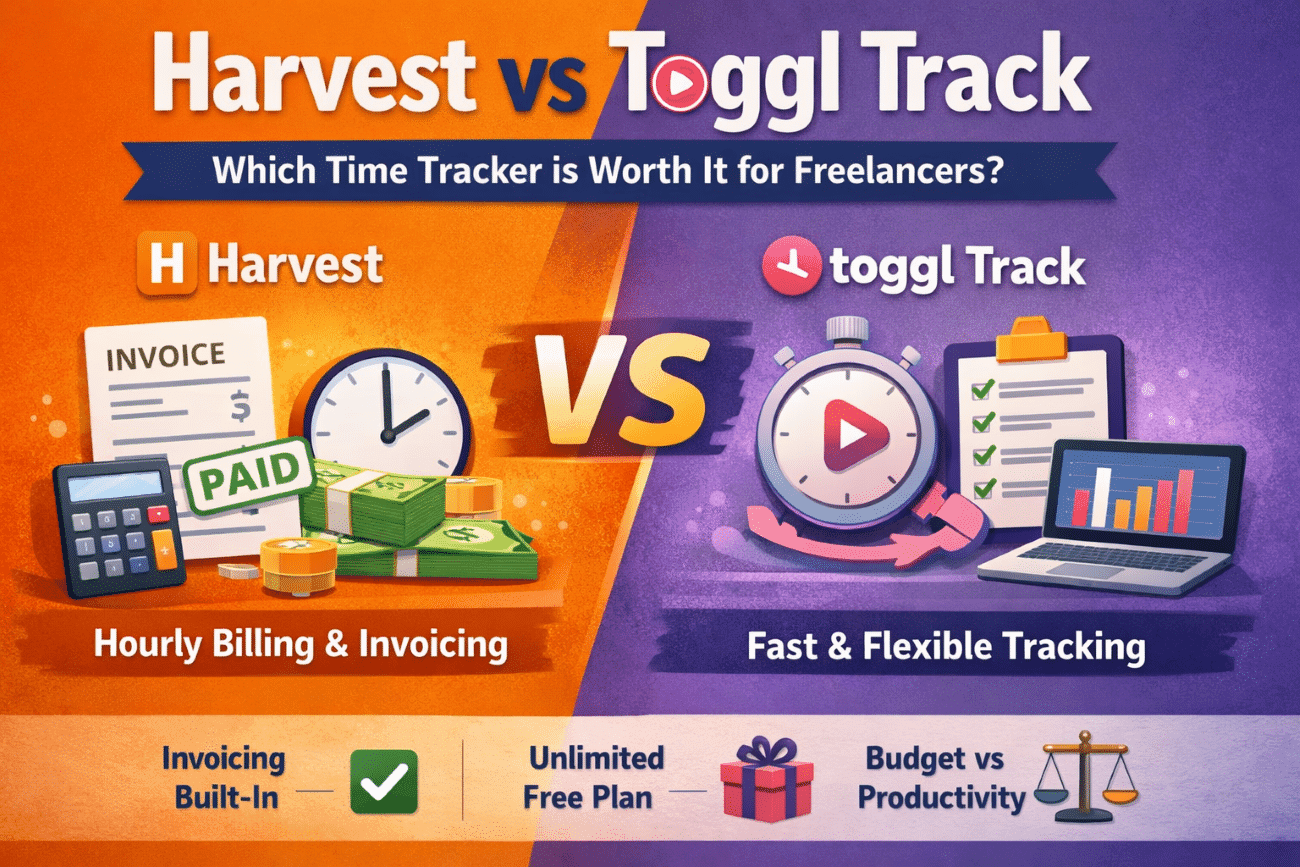
Quick Snapshot: Harvest vs Toggl Track at a Glance
For readers who want the summary before the detail:
| Feature | Harvest | Toggl Track |
|---|---|---|
| Best for | Hourly billing + invoicing | Fast, flexible time tracking |
| Free plan quality | ⭐⭐ (1 user, 2 projects) | ⭐⭐⭐⭐⭐ (unlimited everything) |
| Hourly billing workflow | ⭐⭐⭐⭐⭐ | ⭐⭐ |
| Reporting depth | ⭐⭐⭐⭐ (billing-focused) | ⭐⭐⭐⭐ (productivity-focused) |
| Built-in invoicing | ✅ Yes | ❌ No |
| Expense tracking | ✅ Yes | ❌ No |
| UX / ease of starting a timer | Structured (3 fields minimum) | Minimal (1 click) |
| Multi-currency | ✅ Yes | ✅ Yes |
| Starting price | $11/user/mo (annual) | Free / $9/user/mo (annual) |
If you bill hourly and want everything in one place, Harvest is the answer. If you want the fastest, most frictionless tracking experience — especially on a free plan — Toggl wins. Everything below explains why.
What Each Tool Is Actually Built For
Before comparing features side by side, it helps to understand the philosophy behind each tool.
Harvest is built around the billing workflow. Yes, it tracks time — but the core experience is oriented toward turning that time into invoices. It has built-in invoicing, payment collection (via Stripe and PayPal), expense tracking, and client management. In practice, Harvest functions as a lightweight project management and billing hub, not just a time tracker. It’s particularly well-suited to freelancers who invoice clients by the hour and want everything — tracking, invoicing, and payment — in one place.
Toggl Track is built around the tracking experience itself. It’s faster to start, more flexible in how you categorize time, and significantly more generous on the free plan. The philosophy is: make time tracking so frictionless that people actually do it consistently. What we’ve seen is that Toggl tends to attract freelancers who already have a separate invoicing tool (like FreshBooks or Wave) and just want a best-in-class tracker that stays out of their way.

Neither is better in the abstract. The right choice depends entirely on what’s missing from your current workflow.
Harvest vs Toggl Track Pricing Comparison
This is one of the most Googled questions in this category — and for good reason, because the pricing structures are genuinely different.
| Plan | Harvest | Toggl Track |
|---|---|---|
| Free Plan | Yes — 1 user, 2 projects | Yes — up to 5 users (you + 4 invitees), unlimited projects |
| Paid Plan (Solo/Team) | $11/user/mo (annual) | $9/user/mo (annual) |
| Paid Plan (Monthly) | $13.75/user/mo | $10/user/mo |
| Free Trial | 30 days (full features) | Free tier is permanent |
| Invoicing Included | ✅ Yes | ❌ No |
| Expense Tracking | ✅ Yes | ❌ No |
Harvest’s free plan is genuinely limited — one user and two projects is enough to evaluate the tool, but not to run a real freelance practice. Almost every serious Harvest user ends up on the paid plan at $11/user/month (billed annually) or $13.75/user/month (billed monthly).
Toggl Track’s free plan, by contrast, is legitimately useful. Up to 5 users (yourself plus 4 invitees), unlimited projects, unlimited clients, and basic reporting — for free, indefinitely. The paid “Starter” plan ($9/user/mo annually, $10/mo monthly) adds billable rates, rounding, and more detailed reporting. The “Premium” plan ($18/user/mo annually, $20/mo monthly) adds profitability reporting, labor cost tracking, and timesheet approvals — features most solo freelancers won’t need until they start scaling.
For solo freelancers on a tight budget: Toggl Track’s free plan wins decisively. For freelancers who want invoicing baked in and don’t mind paying $11–14/month for the convenience, Harvest is priced competitively given what it includes.
Harvest Pros and Cons
| ✅ Pros | ❌ Cons |
|---|---|
| Invoicing built directly into tracker | Requires project/task setup before tracking |
| Budget alerts prevent scope creep | UI feels dated compared to Toggl |
| Stripe & PayPal payment integration | Free plan limited to 2 projects |
| QuickBooks & Xero accounting sync | Not a full accounting replacement |
Toggl Track Free Plan: Pros, Cons & Limitations
| ✅ Pros | ❌ Cons |
|---|---|
| Genuinely unlimited free plan | No invoicing — requires a separate tool |
| Fastest timer-start experience | Billable rates locked behind paid plan |
| Rich productivity reporting | Reports get messy without consistent tagging |
| 100+ integrations | No expense tracking |
Harvest vs Toggl Track: Feature Comparison
The UX Feel — and Why It Actually Matters
This is where most comparison articles stay vague. Let’s be specific.
Opening Toggl Track for the first time feels light — almost minimal. To start a timer, you type a description and hit the play button. That’s it. You can add a project and tag later if you want, but you don’t have to. The interface is clean, the colors are muted, and nothing competes for your attention. On mobile, it’s three taps from unlock to timer running.
Harvest feels noticeably more structured. To start a timer, you need to select a project and a task before the timer activates — there’s no free-form entry. That’s typically two dropdown selections before you can begin. On first use, this feels like more friction. Over time, if you’re billing hourly, that structure pays off: every time entry is already categorized, and invoice generation becomes nearly automatic.
A few tactile observations worth noting:
- Toggl’s browser extension is excellent — one click from Chrome or Firefox starts a timer in any tab. Harvest’s browser extension exists but is less seamless.
- Harvest’s dashboard shows your progress against project budgets prominently, which Toggl doesn’t surface by default.
- Toggl’s mobile app is visually cleaner and faster to navigate. Harvest’s mobile app is functional but feels more corporate in layout.
- Harvest requires more setup upfront — you need to create clients, projects, and task types before tracking begins. Toggl lets you start tracking immediately and organize later.
Neither approach is wrong. One rewards structure; the other rewards momentum.
Reporting
Harvest’s reporting is tighter and more billing-focused. You can see time logged per client, per project, and per task — and those reports map directly to your invoices. Budget tracking is also built in: you can set a project budget (in hours or dollars) and get alerts when you’re approaching the limit. In practice, this alone has saved freelancers from scope creep situations where they’ve burned through a fixed-fee project without realizing it.
Toggl Track’s reporting is more flexible and visually richer. The “Summary,” “Detailed,” and “Weekly” report views are genuinely useful for understanding where your time is going — even beyond billing. If you’re trying to analyze your productivity patterns or understand how much time you’re spending on non-billable admin, Toggl gives you better data to work with.
Integrations
Both tools integrate with the major project management platforms — Asana, Trello, Basecamp, Jira. Harvest has a native integration with QuickBooks and Xero for accounting, which is valuable if you’re already using either of those. Toggl Track integrates with 100+ tools including Notion, Linear, and GitHub, skewing slightly more toward developer and knowledge-worker workflows.
What Frustrates Users Most: The Honest Friction Points
Most comparison articles only tell you what each tool does well. Here’s what actually annoys regular users of both — because knowing the friction points in advance is genuinely useful.
Harvest frustrations:
- If you haven’t pre-built your project and task structure, you can’t start a timer. Forget to set up a new client before a call? You’re entering time manually after the fact.
- The UI, while functional, hasn’t been redesigned in years. It works, but it looks dated compared to Toggl’s cleaner aesthetic.
- Harvest’s invoicing is good, but it won’t replace a proper accounting tool. If you need categorized expenses and tax reporting, you’ll still need something else.
- Some users find the two-dropdown requirement (project + task) before every timer entry to be genuine friction over time — especially if you switch contexts frequently throughout the day.
Toggl Track frustrations:
- Without consistent use of tags and projects, your reports become a mess fast. Toggl is only as organized as your discipline. Start sloppy and you’ll have weeks of entries labeled “no project” that are useless for billing.
- There’s no invoicing. If your invoicing tool doesn’t have a clean Toggl integration, you’re exporting CSVs and doing manual work — which defeats much of the time-saving point.
- The free plan doesn’t include billable rates, which means you can track hours but not calculate billing value without upgrading or doing it manually.
- Toggl’s reporting, while flexible, can feel overwhelming for freelancers who just want a simple “here’s what to invoice” view.
A Real Scenario: Two Freelancers, Two Different Needs
Scenario A — Jamie, freelance web developer in Austin: Jamie works on hourly projects for three regular clients and a rotating set of smaller jobs. He bills twice a month and needs invoices out fast. He tried Toggl Track first, loved the tracking experience, but kept having to export CSVs and rebuild invoices manually in Wave. The double-handling was costing him 40–60 minutes per billing cycle.
After switching to Harvest, his workflow became: track time → review → send invoice — all without leaving the platform. His clients pay via the integrated Stripe link, and payments show up automatically reconciled. At $11/month, the subscription felt immediately justified.
Scenario B — Priya, freelance brand strategist in London: Priya works on project-based retainers, not hourly billing. She uses FreshBooks for invoicing and doesn’t need Harvest’s billing features. What she does need is a reliable tracker she can use across her laptop, phone, and iPad that shows her exactly how her 40 working hours per week are distributed — between billable client work, business development, and admin.
Toggl Track’s free plan handles all of this. The weekly report view showed her that she was spending 11 hours a week on email and admin — nearly 28% of her working time — which led her to restructure how she manages client communication. That insight came from a free tool.
Is Clockify or Toggl Better? (And Other Alternatives Worth Knowing)
Since the “alternative to Toggl” question comes up frequently, here’s a quick orientation:
Clockify is the most popular free alternative to Toggl Track. It’s genuinely free for unlimited users and projects — even more generous than Toggl on paper. The tradeoff is a less polished interface and weaker mobile experience. For teams on a strict budget, Clockify works. For solo freelancers who value UX, Toggl Track’s free plan is generally the better experience.
Timely is an AI-powered tracker that logs your activity automatically and lets you categorize it after the fact — useful if you consistently forget to hit the start button. It’s significantly more expensive ($11–28/user/mo) but solves a real problem for certain types of workers.
Clockify vs Toggl vs Harvest in one sentence each: Clockify offers the most generous free plan but with weaker polish; Toggl Track delivers the best-in-class tracking UX with a strong free plan but no billing; Harvest is the best choice for hourly billing workflows and worth paying for if invoicing is part of your stack.
Does Microsoft have time tracking software? Not natively in a meaningful way — Microsoft Viva Insights tracks meeting and focus time for enterprise users, but it’s not a billable time tracker for freelancers. Is Google Timesheet free? Google doesn’t offer a dedicated time tracking product; most Google-adjacent solutions are third-party add-ons for Google Sheets.
The Most Effective Time Management Tool: A Different Question Worth Asking
Most of this comparison is about recording time, but the best time tracking tool is also the one that changes your behavior — not just logs it.
In practice, many freelancers report meaningful improvements in billing accuracy within the first few months of consistent tracking — often recapturing hours they previously absorbed as unpaid scope creep. Freelancers consistently underestimate how much time small tasks consume: client emails, revision requests, project management, and admin work that’s never quite captured in a flat project rate.
The 3-3-3 rule in time management — spending 3 hours on your most important task, 3 hours on secondary tasks, and 3 hours on smaller admin — is an interesting framework, but it only works if you know how you’re currently spending your time. That’s where tracking earns its value beyond billing.
If you’re choosing a tool primarily for productivity insight rather than billing, Toggl Track’s reporting is the most useful in this category. If you’re choosing for billing accuracy and cash flow, Harvest has no close competitor at its price point.
Harvest vs Toggl Track: The Decision Guide (Pricing, Use Case & Fit)
Choose Harvest if:
- You bill clients by the hour and send invoices regularly
- You want time tracking, invoicing, and payment collection in one tool
- You work on multiple projects with defined budgets and need scope creep alerts
- You’re okay with a paid plan from day one (~$11/mo billed annually)
- Your clients are slow payers and you need payment tracking built in
Avoid Harvest if:
- You hate structured setup — Harvest requires clients, projects, and task types before you can track a single minute
- You rarely bill hourly and don’t need invoicing built in — you’ll be paying for features you never open
Choose Toggl Track if:

- You already use a separate invoicing tool (FreshBooks, Wave, Xero)
- You want the most frictionless, fast tracking experience available
- You’re budget-conscious and need a genuinely functional free plan
- You want deeper productivity insights beyond billing
- You switch contexts often and can’t afford the two-dropdown delay
Avoid Toggl Track if:
- You need invoicing inside the same platform — the CSV export workaround gets old fast
- You struggle with self-organization — Toggl’s flexibility becomes a liability if you don’t tag and categorize consistently
Choose Clockify if:
- You’re a team of two or more and need everyone tracking for free
- Budget is the primary constraint and UX is secondary
Stick with a spreadsheet if:
- You have fewer than three active clients and rarely reference your time data
- You’re not billing hourly and tracking is purely for self-awareness
FAQ
1. Is there a free version of Toggl Track that’s actually usable?
Yes — and it’s one of the most genuinely useful free plans in the category. The free tier includes unlimited projects, unlimited clients, and basic time reporting with no cap on users. The main features behind the paywall are billable rates, time rounding, and advanced reporting. For most solo freelancers just starting with time tracking, the free plan is enough to run on for months.
2. How much is Harvest per month, and is it worth it?
Harvest costs $11/user/month billed annually ($13.75/month billed monthly). Given that it includes time tracking and invoicing and expense tracking and Stripe/PayPal payment integration, it’s priced reasonably if you’d otherwise pay separately for an invoicing tool. If you already have FreshBooks or Wave, you’re likely paying for overlap.
3. Is Clockify really better than Toggl Track for freelancers?
Clockify has a more generous free plan on paper (truly unlimited everything), but Toggl Track’s interface and mobile app are more polished. For teams of three or more trying to avoid subscription costs, Clockify is the practical choice. For solo freelancers, the difference in UX usually makes Toggl Track the better day-to-day experience.
4. Can Harvest replace invoicing software entirely?
For many hourly freelancers, yes. Harvest handles invoice creation from tracked time, sends invoices via email, accepts payment via Stripe/PayPal, and tracks whether invoices are paid or outstanding. It won’t replace full accounting software (you’ll still need something for expense categorization and tax prep), but it can eliminate the need for a separate invoicing tool like Wave or FreshBooks if your needs are straightforward.
5. What’s the best time tracking software overall?
For most freelancers: Toggl Track if you want free and fast, Harvest if you want billing built in. For teams with more complex needs, tools like Clockify (budget), Timely (AI-powered), or even Jira’s built-in tracking (for dev teams) come into play. There’s no universal winner — it genuinely depends on whether invoicing is part of your workflow.
2026 Updates Worth Knowing
Both tools have added meaningful features in the past year that are relevant for freelancers who are starting to scale.
Harvest now makes profitability reporting and timesheet approvals available on its Premium trial — meaning you can test these features free for 30 days before committing. For freelancers who’ve grown into small agencies or who work with subcontractors, the timesheet approval workflow is genuinely useful: it gives you a structured way to review and sign off on hours before invoices go out. Profitability reporting shows you at a glance which clients and projects are actually making you money after costs — not just which ones are generating the most revenue.
Toggl Track has strengthened its Premium-tier profitability tools significantly. The profitability report now combines tracked hours with labor costs to show actual profit per client and project — helping freelancers identify which retainers are worth renewing and which are quietly draining time. For solo freelancers on the free or Starter plan, these remain behind the paywall, but they’re worth knowing about as your practice grows. The Starter plan ($9/mo annual) remains the sweet spot for most freelancers: billable rates, project templates, and enough reporting to run a serious client practice.
Neither of these updates changes the core recommendation for solo freelancers — but if you’re managing two or more subcontractors or building toward agency scale, both tools now have more to offer at their paid tiers than they did 18 months ago.
Billing hourly? Choose Harvest. It’s the only tool in this category that turns tracked time directly into a sent, paid invoice without leaving the platform. At its price point, that end-to-end billing workflow is worth every cent.
Optimizing productivity or testing time tracking for the first time? Start with Toggl Track’s free plan today. It’s frictionless, genuinely capable, and costs nothing until you’re ready to unlock billable rate tracking. If your invoicing is already handled elsewhere, there’s no reason to pay for Harvest’s billing features you won’t use.
The worst outcome isn’t picking the “wrong” tool — it’s spending another month without tracking at all. Pick one this week, run it for 30 days, and the data you collect will tell you more about your working patterns than any comparison article ever could.